Use Cases

Built for How You
Actually Work.

Measure Tech PRO adapts to your trade. The same app powers window installers, general contractors, and property inspectors — each getting the workflow they need.

Window installer using Measure Tech PRO elevation scanner blueprint
Window & Door Installers

From First Measurement to Order — in One App.

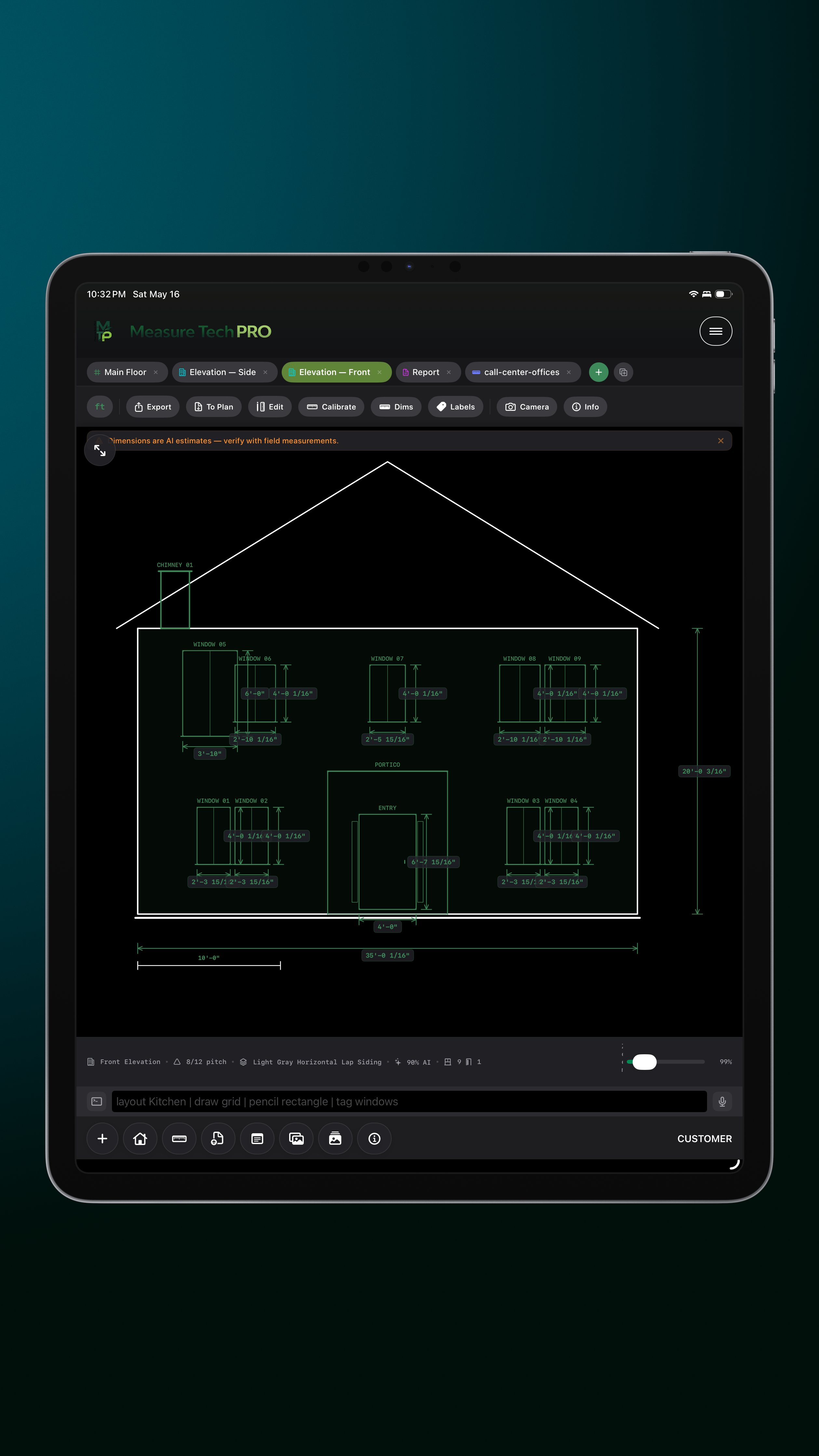
The complete workflow for window and door installation crews. Photograph the house, get an AI elevation blueprint with every opening labeled. Measure with LiDAR, configure mull assemblies, and export directly to ProVia EntryLink — no re-keying between systems.

AI Elevation Scanner reads window and door positions from photos — guided camera, Front/Back/Left/Right, reference card for real-world scale
LiDAR AR measurement for width, height, and sill angle — no tape required on iPhone Pro or iPad Pro
Full mull configuration builder — ribbon, stack, matrix, asymmetric; auto-calculates frame width, height, and rough opening
ProVia EntryLink integration — create orders, add line items, set PO and job info, and submit without leaving the app
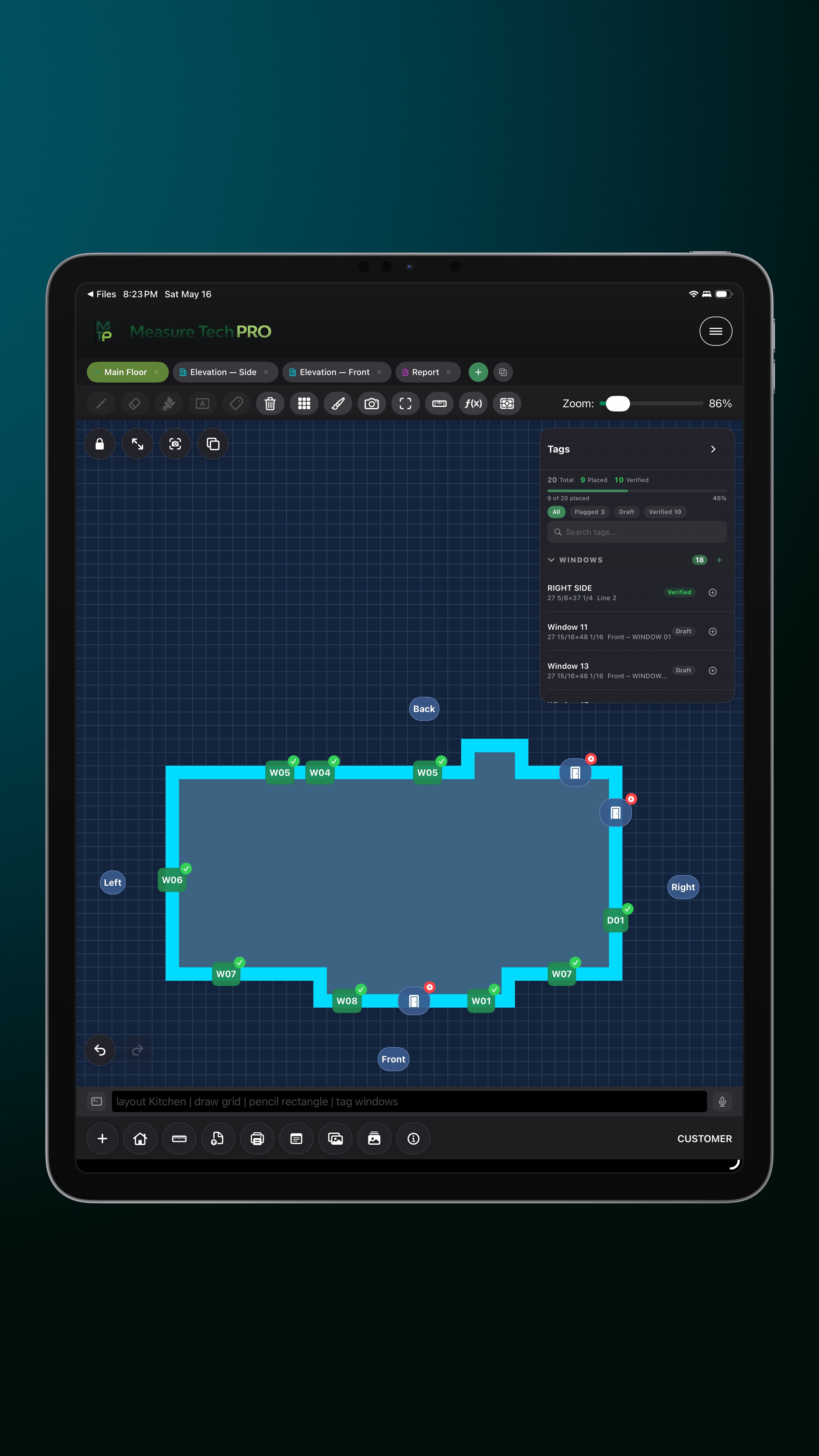
Grid layout with W01/D01 tag system — every opening tracked from measurement to delivery
Branded PDF reports with your company logo — ready to email to the client or office before you leave the site
DXF/SVG export for orders that require CAD drawings or manufacturer submissions
Download Free for iPhone & iPad →
General contractor using Measure Tech PRO team sync
General Contractors

Coordinate Multiple Crews Across Multiple Sites.

Run multiple crews across multiple job sites with real-time visibility into what's happening on every floor plan. Role-based access means site managers see their site, project managers see all sites, and clients see their project status — each with exactly the right permissions.

Business / Team plan with real-time sync — every crew member sees the same plan the moment a change is made
Market structure groups crews by territory — assign a Manager to own each market or geographic region
Role-based access: Admin sees everything; Managers own their market; Members do the field work; Clients get free Collaborator access
Review Dashboard flags every tagged opening missing a photo, dimension, or status — quality control before the crew leaves
All 5 layout types available — Grid for floor plans, Sketch for quick site notes, Drafting for detailed CAD, Elevation for facades, Document for inspection templates
CAD import / export (DXF, DWG, SVG) — bring existing plans into the field, export clean drawings back to the office
Cloud project documents library — upload PDF templates, Word forms, and spreadsheets the whole team can access from any site
Explore Team Features →
Property inspector using Measure Tech PRO document layout
Property Inspectors

Structured Inspections. Professional Reports. Fast.

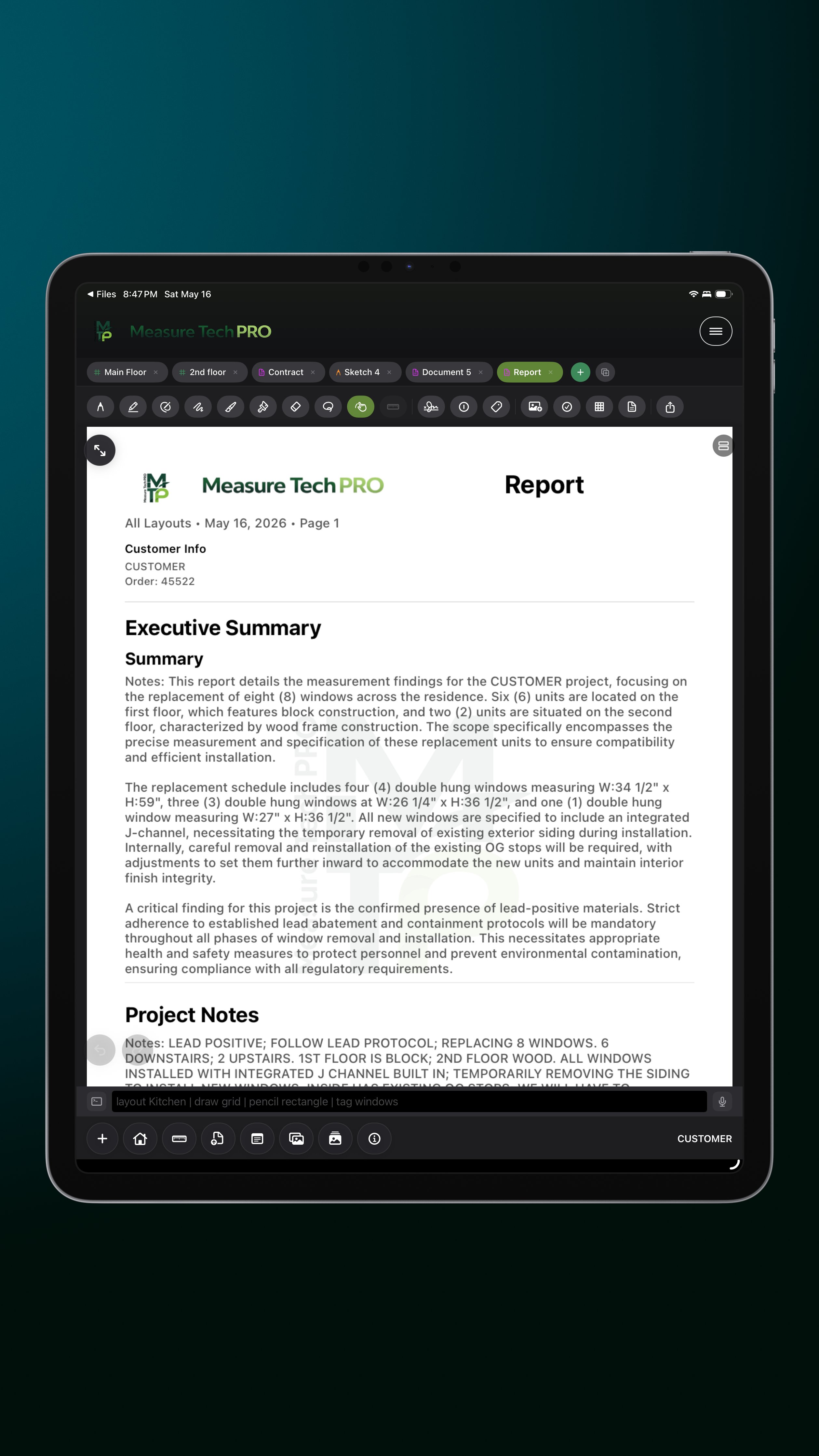
Property inspection requires fast, thorough, court-ready documentation. Measure Tech PRO's Document layout supports multi-page inspection templates, structured photo documentation per area, GPS tagging, and branded PDF reports that match professional inspection standards.

Document layout — multi-page reports with template backgrounds (PDF, Word, lined, grid) loaded from your cloud library
GPS coordinates embedded in every photo automatically — know exactly where each photo was taken
Pitch level tool — measure sill pitch, roof pitch, or floor level to 0.1° accuracy
Voice dictation for notes — speak observations hands-free, AI structures and saves them per area
Photo markup with annotations, text labels, and arrows — flag conditions directly on the image
AI assistant answers code questions on the spot — "What's the minimum egress window size for a bedroom?" or "What are glass tempering requirements for bathrooms?"
Branded PDF report with company logo, cover page, ordered photo gallery, and structured field notes
Download Free →
AI On the Job

Answers When You
Need Them Most.

Don't pull out a browser mid-inspection. Ask Measure Tech PRO's AI assistant about building codes, installation standards, egress requirements, and glass tempering specs — right in the app, right when you need it.

Example Questions
"What are the glass tempering requirements for bathrooms?"
"What's the minimum egress window size for a bedroom?"
"How do I add an overlay to my floor plan?"
"What rough opening do I need for a 3-0 × 4-0 window with a wood frame?"
AI Assistant usage: Free (3/day) · Solo (15/day) · Business (50/day)

Start on Your Next Job

Download free and try it on your next site visit. No setup, no training — open the app and start measuring.

Download Free View Pricing →